

Leapfrog Baby Monitors with Colour Night Vision (Australia)
Can you get colour night vision on baby monitors? Yes-and LeapFrog’s latest models now offer colour night vision with excellent clarity in very low light. Below we explain what colour night vision means in practice, the key features to look for, how to set up securely, important Australian safety guidance to follow.

Colour Night Vision on Baby Monitors
Until recently, most baby monitors displayed black and white images in darkness. New LeapFrog models use low-light imaging to retain colour in very dim conditions, which can help you identify details (e.g., clothing colours or bedding). In a completely dark room, image quality will still depend on the lighting conditions (for example, any gentle night light).
The parent unit and camera options available in the LeapFrog range include high resolution imaging (up to 1080p, model dependent) for clearer, more detailed viewing day and night.
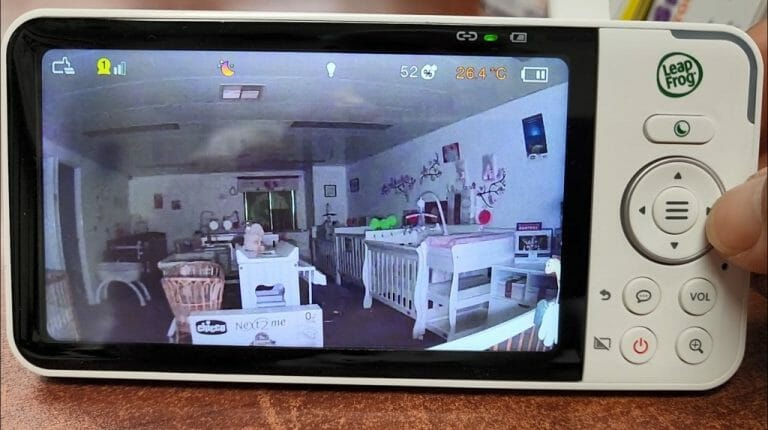
Stand Out Features (Model Dependent)
- 1080p camera and 1080p parent unit display (model dependent).
- Adaptive dimmable night light.
- Motorised pan & tilt with wide/360° room coverage on select models.
- Direct (monitor to camera), router/Wi-Fi, auto switching modes.
- Local zoom up to 8x and remote/app zoom up to 10x.
- Soothing sounds/songs and two-way talk.
- Free companion app (iOS/Android) for optional phone/tablet viewing and recording.
- Room temperature and humidity monitoring with configurable alerts.
- Long battery life parent unit (up to ~12 hours, usage dependent).
- Long range in Direct mode (up to ~300 m line of sight, environment dependent).
- Motion/sound detection with optional on board recording.
Screen Size Options
Current models commonly offer 5 inch and 7 inch parent unit screens-balancing portability with easy viewing. Prefer a bigger screen at home? Use the mobile app on a tablet. When you’re out, your phone is ideal.
Connection Modes: Which Suits You?
| Use Case | Direct Mode (No Internet) | Router/App Mode (Wi?Fi) |
|---|---|---|
| Works without home internet | ✔ | ✘ |
| Remote viewing away from home | ✘ | ✔ |
| Simplest setup | ✔ | ✘ |
| Advanced features (cloud/notifications) | ✘ | ✔ |
Security & Privacy Essentials (Australia)
- Choose your mode: If you prefer no internet connectivity, set Direct mode only.
- Use strong, unique passwords on your home router and app; enable WPA2/WPA3 WiFi security.
- Keep firmware and apps updated to the latest version.
- Look for the RCM mark indicating compliance with Australian electrical safety/EMC labelling rules.
Set Up & Ease of Use
Direct mode pairing to the parent unit typically takes a couple of minutes. Router/App mode adds a few extra steps (WiFi and account setup). Cameras are wall mountable and multi-camera packs are available for monitoring more than one room.
Standards & Guidance (Australia)
- Red Nose – Safe Sleeping (baby monitors do not replace a safe sleep environment or active supervision).
- Product Safety Australia – Babies & Kids (general baby product safety advice, cords/placement hazards).
- ACMA – RCM Compliance Mark (electrical safety & EMC labelling for devices sold in Australia).
Safe Placement Tips
- Keep camera cords well out of reach-at least 1 metre from the cot/child’s sleep area.
- Mount the camera securely (high and angled down) to avoid strangulation or pull down hazards.
- Follow your product manual and check the setup regularly.
FAQ
Do baby monitors reduce the risk of SIDS?
No. Baby monitors (including those with breathing or movement tracking) do not reduce the risk of SIDS. Follow Red Nose safe sleep guidance-firm, flat sleep surface, baby on their back, a clutter-free cot.
Is colour night vision always in colour?
In very low light you may still see some colour; in complete darkness, image quality depends on the monitor’s low-light capabilities and any gentle night-light in the room.
Is WiFi safe to use with baby monitors?
Yes, when set up properly. Use strong Wi-Fi security (WPA2/WPA3), unique passwords, keep firmware/apps up to date. If you prefer to avoid the internet, use Direct mode.
How far is the range?
Direct mode range can be up to hundreds of metres line of sight but varies with walls/interference. Router/App mode range depends on your home WiFi coverage.
Summary
LeapFrog’s colour night vision makes it easier to see more detail in low light. Choose Direct mode if you don’t want internet connectivity, Router/App mode for remote viewing and smart alerts. Always prioritise safe placement and follow Australian guidance-monitors support supervision but do not replace safe sleep practices.
We have a full team of highly trained staff who can help you choose the right baby monitor for your home and talk you through set-up options.
See today’s offers: Baby Monitors
Safety Disclaimer
This content is general information for Australia. Baby monitors do not prevent SIDS and do not replace safe sleep practices. Always follow the product manual, keep cords out of reach, follow Australian guidance (Red Nose; ACCC/Product Safety). If you have concerns about your baby’s health, consult a GP or child health nurse.
About the Author
Frank is a founding owner of Bubs n Grubs. He is also the sole author of the Bubs n Grubs Baby Blog. He has been personally evaluating baby products & testing them before offering them to our customers since 2009. In addition, he is consistently giving manufacturer’s feedback & product development advice, reviewing & getting customer feedback. He has been doing this since the business started in 2009. He is proud to be one of the rare baby store owners who regularly engages with customers in store. Frank values the constant feedback and regularly seeks it out. He has been featured on the Morning Show & the Today Show on Channel 7 and Channel 9 and is a recognised expert in baby products as a result.

The Car Seat Mistake That Almost Cost One Brisbane Mum a New Car
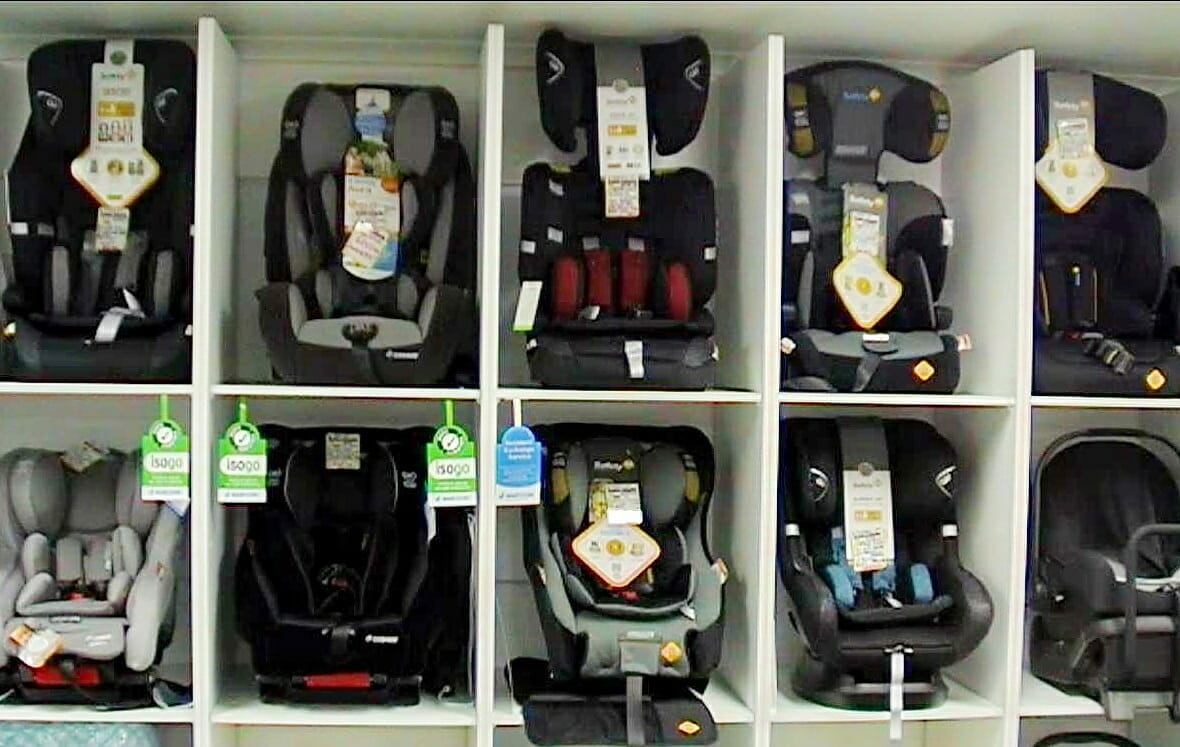
A Brisbane mum with three young children came to us seeking a second opinion after being told she would likely need to buy a larger vehicle to fit three child restraints safely. The problem was she couldn’t afford one. Like many Australian families, she was already feeling the pressure of rising living costs. The thought
Read more...
Air-Filled vs Never-Flat Pram Tyres: What’s Better for Australian Families?
Air-Filled vs Never-Flat Pram Tyres – What’s Better for Your Family? Most parents spend time comparing suspension, fold size and basket space when choosing a pram, but very few think about the tyres until after they start using it every day. The type of tyres your pram uses can make a huge difference to: Ride
Read more...
Jogging Pram vs All Terrain Pram: What’s the Difference?
Jogging Pram vs All Terrain Pram: What’s the Difference? Many parents searching for an all terrain pram eventually come across jogging prams and assume they are exactly the same thing. While both are designed to handle rougher terrain better than standard strollers, there are some important differences that can completely change which option is best
Read more...
What To Look For In An All Terrain Pram
What To Look For In An All Terrain Pram Choosing the right all terrain pram can make everyday life much easier, especially if you regularly walk on gravel paths, grass, parks, uneven footpaths or outdoor trails. Some prams are designed mainly for smooth shopping centre floors, while others are built to handle rougher terrain, jogging
Read more...





Leave a comment